
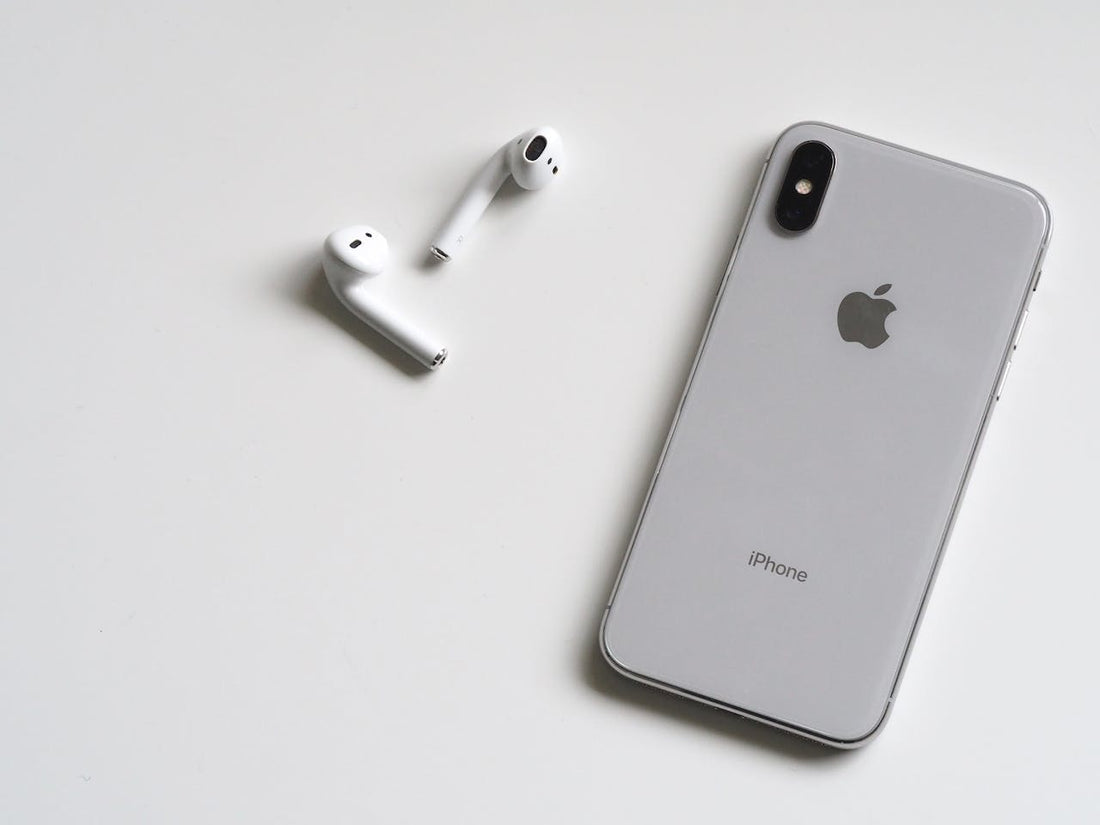
Is your AirPods battery life draining faster than expected? That's frustrating, and it doesn't have to be! In this article you'll get practical tips to extend your AirPods battery life again. So you don't have to keep looking for the next power outlet.
AirPod battery and case draining fast? 7 ways to get more battery life
1. Reset your AirPods
If your AirPods battery is running out faster than expected, resetting your AirPods can be a solution. It can help fix any connection or software problems that might be affecting battery consumption. Keep in mind, though, that resetting also removes all your custom settings, so write them down beforehand if necessary.
How to reset your AirPods:
- Put the AirPods in your charging case and close the lid
- Wait about 30 seconds
- Open the lid of the charging case and put the AirPods in your ears
- Go to “Settings” and tap “Bluetooth”. Or choose “Settings” > [your AirPods].
- Under “More Info”, tap “Forget This Device”. Confirm your choice
- Now place the AirPods in the charging case. Keep the lid open
- Now press and hold the setup button on the back of the charging case for about 15 seconds, until the status light flashes amber and then white
- Now reconnect your AirPods. The AirPods are in the charging case with the lid open and must be near your iPhone (or iPad). Then keep following the instructions shown on your device's screen.
2. Always put your earbuds back in the charging case
One of the most effective ways to make sure your AirPods battery lasts longer is to regularly store the earbuds in the charging case whenever you're not actively using them.
By putting the earbuds in the case when you're not using them, you can make sure they don't stay in active Bluetooth mode all the time, which uses power.
The AirPods also switch off and charge automatically when they're in the case, which helps preserve battery lifespan.
3. Use a lower volume

High volumes need more power to deliver clear sound. By lowering the volume to a moderate level, your AirPods can run on less power. That means you can not only enjoy music for longer, but also extend the time between charges.
4. Turn off noise cancelling
Noise cancelling is handy in some situations, but it uses more battery power. So if you don't really need noise cancelling right now, turn it off. Here's how:
- Open Settings
- Go to the Bluetooth settings for your AirPods
- Here you'll find an option to turn off noise cancelling
On some models you can also turn off noise cancelling directly on the AirPods.
5. Turn off ear detection
Ear detection is a handy feature that recognizes when you take your AirPods out of your ears and pauses playback automatically. That can be useful, but it also uses extra power because of the sensors. If you don't really need ear detection, you can turn it off to extend your AirPods battery life. Here's how:
- Open Settings on your iPhone or iPad.
- Go to "Bluetooth" and look for your AirPods in the list of paired devices.
- Tap the "i" icon next to your AirPods' name.
- Find the "Ear Detection" or "Automatic Ear Detection" option.
- Turn off ear detection by setting the switch to "Off".
6. Take care of your iPhone and the case
Make sure to look after your iPhone case regularly to optimize your AirPods battery life. Keep the case clean and free of dust and dirt. Avoid excessive heat or cold, as extreme temperatures can affect battery lifespan. Install software updates regularly when available. A well-maintained case ensures your AirPods work optimally and charge efficiently, which leads to longer battery life.
By the way: you should look after your AirPods regularly too. You'll find care tips on this here.
7. Replace the battery
If your AirPods battery life keeps dropping sharply despite all your efforts, a battery replacement could be the solution. Over time, batteries naturally degrade, which can lead to shorter battery life.
First check your AirPods warranty: if your AirPods are still under warranty or you bought AppleCare+, you may be entitled to a free or low-cost battery replacement.
If you no longer have a warranty, though, it can make sense to get new AirPods. Especially if you've wanted an upgrade with better quality that lasts longer anyway. You'll find many such models in our online shop.
8. Order a replacement part
If only one of your AirPods drains quickly, you'll find individual replacement parts on our site.
The manufacturer usually doesn't offer a way to buy individual components of a bundle separately. For example: if only your right AirPod has battery problems, you would normally have to buy a complete new bundle, which can be expensive and often isn't really worth it.
In our online shop we offer the option to buy AirPods individually, which can save you money. We buy original bundles and split them into their individual parts. This way we make sure you keep the full manufacturer's warranty, even if you only buy one replacement part.
Our range also includes the charging case as a separately available replacement part. We offer second- and third-generation devices as well as the AirPods Pro.
Frequently asked questions
How long do AirPods last?
AirPods battery life varies depending on the model and your usage habits. Here are rough estimates of battery life for different AirPods models:
AirPods 1st and 2nd generation:
These models usually offer around 5 hours of music playback or 2 hours of talk time on a full charge. The charging case can provide several additional charges, bringing the total usage time to over 24 hours.
AirPods 3rd generation:
AirPods 3rd generation give you up to 6 hours of listening time (up to 5 hours with Spatial Audio turned on) or up to 4 hours of talk time on a single charge.
If you charge your AirPods 3rd generation in the charging case for just 5 minutes, you'll get about 1 hour of listening time or about 1 hour of talk time.
AirPods Pro:
AirPods Pro generally offer slightly shorter battery life of around 4.5 hours of music playback or 3.5 hours of talk time on a full charge. As with the other models, the charging case extends the total usage time.
AirPods Pro 2:
AirPods Pro 2nd generation have a battery life of up to 4.5 hours of continuous audio playback or up to 3.5 hours of talk time on a single charge.
AirPods Max:
The over-ear AirPods Max headphones offer longer battery life, which can vary depending on the activity. With Active Noise Cancellation on, battery life is around 20 hours; with noise cancellation off, it can be longer.
Why do AirPods drain so quickly?
AirPods can drain faster than expected for several reasons. Here are some possible causes:
- A constantly active Bluetooth connection
- High volume
- AirPods being activated by movement
- Frequent charging
- An old battery
- Unfavorable environments: heat or cold
- Too many background apps using Bluetooth
- Too many active device connections
- Firmware problems
- Heavy use of features such as Siri or noise cancelling
Should you keep AirPods in the case?
Yes, it's a good idea to keep your AirPods in the case when you're not using them. Here are some reasons why storing your AirPods in the case makes sense:
- Protection against damage
- Preserving battery life
- The AirPods switch off automatically to save power
- Hygiene
- Harder to lose
What's the best way to charge AirPods?
Here are some tips on the best way to charge your AirPods:
- Use the charging case that came with them
- Charge the AirPods regularly, before the battery is completely empty
- Charge the case regularly
- Use high-quality charging cables and adapters
- Don't charge the AirPods and case at extremely high or low temperatures
- Keep the contacts clean
- Update the software
Can I charge my AirPods from my phone?
No, you can't charge your AirPods directly from your phone. AirPods have to be charged in their charging case.
How many charge cycles do AirPods have?
The exact number of charge cycles that AirPods or AirPods Pro can reach may vary. However, Apple states that the batteries in AirPods should still retain about 80% of their original capacity after around 500 full charge cycles.