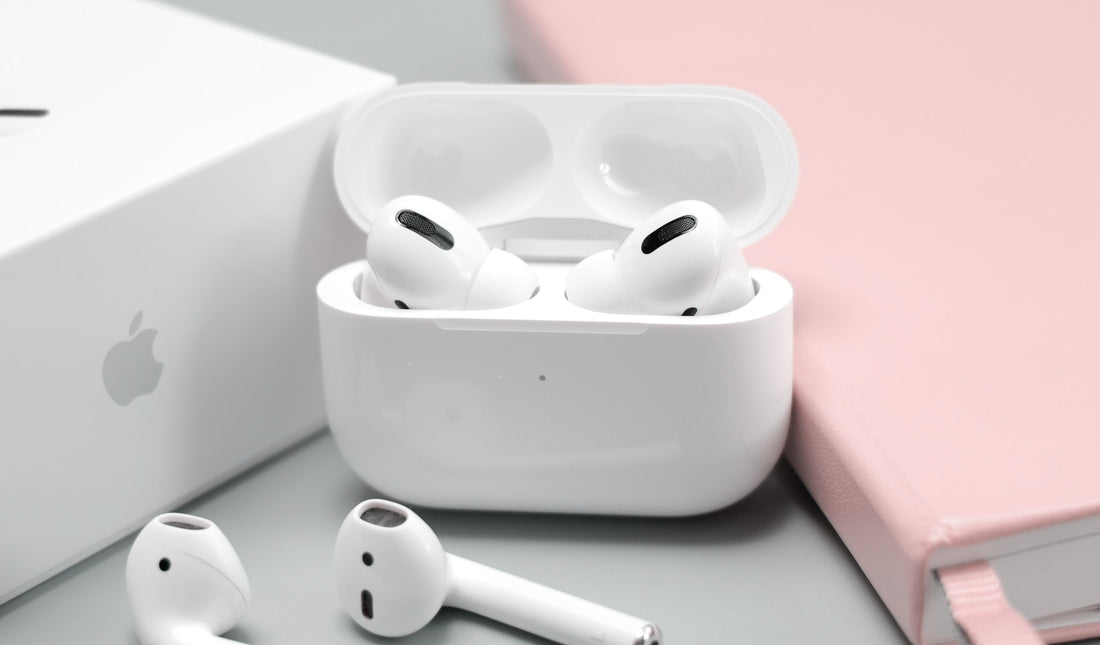
Not sure which AirPods you have? No problem, because you can quickly find out which generation of AirPods you own using the model number. There are several ways to find your model number:
In Settings- Directly on the AirPods
1. Finding the model number in Settings
Go to “Settings” and then “Bluetooth”. Select [your AirPods]. Now tap the “More Info” button next to the AirPods, shown as a small “i”. You'll now see your AirPods' model number. In the list further below, you can use the model number to find out which generation of AirPods you have.
Note: If your device doesn't have iOS 14 or iPadOS 14 or later installed, you can find the model number as follows: Go to "Settings" on your device. Select "General". Tap "About". Scroll down until you see the name of your AirPods. Tap the name to show more information, including the model number.Now let's move on to the second way to find out the model number:
2. The model number directly on the AirPods

You can also find the model number directly on the AirPods. It's in the first line of the text on the underside of every AirPods model. The exception is AirPods Max, where you'll find it under the left ear cushion.
By the way: The model number is not the serial number. The serial number is needed to check your AirPods' warranty coverage or to identify them if they've been lost or stolen. Find out here how to find your AirPods' serial number in a few simple steps.
Check which AirPods you have using your model number
Every generation of AirPods has its own model number. Compare your AirPods' model number with this list to identify your device:
AirPods (1st generation):
Model number A1523 or A1722
AirPods (2nd generation):
Model number A2032 or A2031
AirPods Pro:
Model number A2084 or A2083
AirPods Max:
Model number A2096
AirPods (3rd generation):
Model number A2565 or A2564
AirPods Pro 2 with USB-C charging case:
Model number A3047, A3048 or A3049
AirPods Pro 2 with Lightning charging case:
Model number A2931, A2699 or A2698
Frequently asked questions
How many generations of AirPods are there?
There are the following AirPods generations and models:
- AirPods (1st generation)
- AirPods (2nd generation)
- AirPods (3rd generation)
- AirPods Pro
- AirPods Pro 2
- AirPods Max
AirPods Pro: Which generation do I have?
You can check this using the model number. You'll find it either directly on the AirPods or in the settings of your iOS device if your AirPods Pro are paired with it. The possible model numbers of the AirPods Pro are A2084 or A2083. The possible model numbers of the AirPods Pro 2, on the other hand, are A3047, A3048, A3049 or one of the numbers A2931, A2699, A2698.
Can you replace 1 AirPod?
Yes, it's possible to replace a single AirPod if it's defective or has been lost. Apple offers a replacement service for AirPods and AirPods Pro that lets you replace a single AirPod or the charging case. However, you need to check whether your AirPods are still under warranty. If not, you can also buy a single AirPod. Apple doesn't offer this option, but in our online shop you can conveniently buy single original AirPods. This is cheaper than having to buy a complete AirPods set from Apple or other online shops.
How much does a single AirPod cost?
The cost of a single AirPod varies depending on the model. Feel free to take a look around here in our online shop to find the right one.
What to do if your AirPods have been stolen?
If your AirPods have been stolen, you can do the following:
- Use location services (Find My): If you've enabled the "Find My" feature (or "Find My iPhone" on older iOS versions) and your AirPods are linked to your Apple Account, you can try to locate them using the "Find My" app. This can help you determine the approximate location of your AirPods.
- Contact Apple Support: You can contact Apple Support to report the theft and discuss further steps. They may be able to help you deactivate your AirPods or clarify questions about your Apple Account.
- Check your insurance: If you've taken out insurance for your AirPods, you should check whether the theft is covered. If so, you can file a claim.
- Only one AirPod was stolen? Most online shops, and Apple too, only sell complete AirPods sets. In our online shop, however, you can also buy single AirPods, which is cheaper than a complete set.
How can I check whether an Apple product is original?
To check the authenticity of an Apple product, especially if you're worried it might be counterfeit, you can take the following step:
Check the serial number: Every Apple product, including iPhone, iPad, Mac, Apple Watch and AirPods, has a unique serial number. You can check the serial number in different ways. The serial number is usually located on the back or underside of the product. Otherwise, you can also find it in the device's settings. You can then check the serial number on the official Apple website: https://checkcoverage.apple.com/ Enter the serial number there to check the authenticity and status of your device:
Do all AirPods have a different serial number?
Yes, every single AirPods product has its own serial number. Even 2 identical Apple AirPods Pro (2nd generation) will have different serial numbers. This applies to AirPods of the first, second and third generation as well as to AirPods Pro. The serial number is used to identify and track each device individually. Please note that the serial number and the model number are not the same.
How do I recognize AirPods 2?
To recognize AirPods (2nd generation), you can check the model number: You'll find the model number on the packaging or in the settings of your iOS device if your AirPods are paired with it. The model numbers for AirPods (2nd generation) are A2031 or A2032.
What's the difference between AirPods 1 and 2?
Visually, both devices are very similar. The charging case, however, looks slightly different. The LED that shows the charging status is now on the outside rather than the inside. The H1 chip is another change in AirPods 2. Unlike the W1 chip in AirPods 1, it now also supports Bluetooth 5.0. This means AirPods 2 connect faster and more reliably. Since the second generation, there has also been a wireless charging case. In addition, talk time has increased from 2 to 3 hours. So the battery delivers more.