
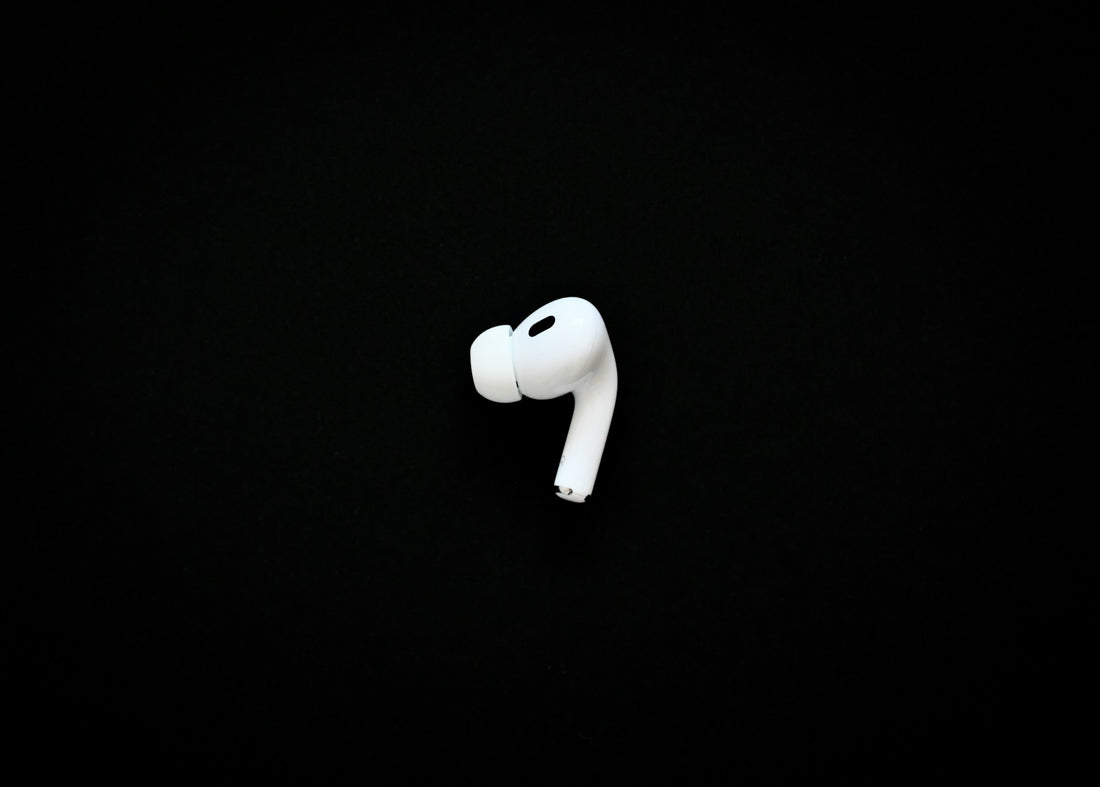
Are your AirPods suddenly sounding quiet and you don’t know why? Don’t worry – it’s often small issues that you can easily fix. Here you’ll learn the most common causes and how to quickly get your AirPods back to full volume. Whether it’s dirt, incorrect settings, or connection problems: we’ve got the solutions for you.
Why are my AirPods suddenly so quiet? 7 possible causes

If your AirPods suddenly sound quieter than usual, there can be various reasons. Sometimes they’re simple issues that you can quickly fix yourself.
Here are the most common causes, and in the next chapter we’ll show the solutions in detail:
-
Dirt and earwax in the speakers: Over time, dust, dirt, and earwax can build up in the speakers of your AirPods and muffle the sound. By the way, this is a very common reason why AirPods suddenly sound quieter. Regular cleaning can help here.
-
Incorrect audio settings on your device: Sometimes the volume settings on your iPhone or iPad have been changed without you noticing. Check the volume limits and audio balance in the settings.
-
Bluetooth connection problems: An unstable Bluetooth connection can cause the sound to become quieter or interrupted. It can help to reset the AirPods and pair them with your device again.
-
Software errors or outdated firmware: If the firmware on your AirPods or your iOS device is not up to date, unexpected issues such as reduced volume may occur. A software update could fix the problem. These updates should happen automatically.
-
Activating Noise Cancellation or Transparency Mode: If you are using AirPods Pro or AirPods Max, activating Transparency Mode or Noise Cancellation could affect the volume. Check whether these modes are set correctly.
-
Power saving mode on the connected device: When the battery-saving function on your iPhone or iPad is enabled, audio performance can sometimes be throttled to save power. Try disabling the mode and test whether the volume is normal again.
- Physical damage or wear of the AirPods: If your AirPods are older or have been dropped, internal components may be damaged, which affects sound quality. In such cases, replacement or repair may be necessary.
Solutions: What you can do if your AirPods suddenly become so quiet

1. Clean AirPods thoroughly
Dirt and earwax can build up in the speakers over time and muffle the sound. Here's how to clean the AirPods:
-
Use a microfiber cloth: Wipe your AirPods with a lint-free cloth (similar to a glasses cleaning cloth) to remove dust and fingerprints.
-
Brush for delicate areas: Use a narrow, clean brush (never in contact with paint) to clean the inside of the charging case and hard-to-reach areas.
-
Cotton swabs for detailed cleaning: Use cotton swabs with a firm surface to gently clean the speaker grilles. Lightly moisten with mild cleaning alcohol to disinfect the surfaces.
-
Remove and clean silicone tips: Remove the silicone tips from your AirPods (if present) and rinse them under running water. For stubborn dirt, you can use a cotton swab dampened with alcohol.
-
Clean the speaker grilles especially gently: Carefully clean the grille with a narrow brush to remove dirt without pushing it deeper into the device.
-
Avoid moisture: Use only minimal moisture, as too much water or cleaning solution can damage the electronics.
-
Schedule regular cleaning: Set regular cleaning intervals depending on how often you use your AirPods.
- Avoid cosmetics and chemicals : Avoid contact between your AirPods and creams, lotions, sunscreen, or dish soap, as these can damage the material.
You can find more information on this in our article Clean AirPods.
2. Check the audio settings on your device
Sometimes the audio settings are changed without you noticing. Check under Settings > Sounds & Haptics > Volume Limit whether the maximum volume is limited.
In addition, you should adjust the Audio Balance under Accessibility > Audio/Visual if the sound on one AirPod is quieter.
For explanation: Audio balance determines how the sound is distributed between the left and right AirPods. If it is not centered, one of the AirPods may sound quieter.
3. Disconnect and re-pair the Bluetooth connection
An unstable Bluetooth connection can affect the volume. Go to Settings > Bluetooth, tap the “i” icon next to your AirPods, and select “Forget This Device.” Then put the AirPods back into the charging case, wait 15 seconds, and connect them to your device again.
4. Adjust noise cancellation and transparency mode
If you use AirPods Pro or AirPods Max, the noise cancellation or Transparency mode may affect the volume. Switch between the modes in Control Center or directly on your AirPods. Restarting these functions can help restore the original sound.
5. Disable Low Power Mode
Your iPhone's Low Power Mode can sometimes limit audio performance. Go to Settings > Battery and turn off Low Power Mode. Check whether your AirPods' volume improves after disabling this mode.
6. Reset AirPods
If everything else fails, reset the AirPods to fix any possible errors. Here's how:
- Make sure the AirPods are charged before you begin the reset.
- Place the AirPods in the charging case, close the lid, and wait 30-60 seconds.
- Open the charging case lid and put the AirPods in your ears.
- Go to “Settings” > “Bluetooth”, tap “i” next to your AirPods, and select “Forget This Device”.
- If the AirPods are not visible, press and hold the setup button on the charging case for about 15 seconds until the LED flashes amber and then white.
- Reconnect the AirPods to your device while the charging case lid remains open.
- If resetting does not work, check whether your AirPods are linked to an Apple ID and remove it if necessary.
If the problem persists: restart the device or perform a software update on your iPhone/iPad.
If needed, you can find a more detailed guide to resetting your AirPods here.
What should you do if only one AirPod suddenly becomes so quiet?
If you have gone through all the steps above, but only one of the two AirPods is still quiet, it may be defective.
In this case, it would need to be replaced. At Oneearpod, you can buy a single original AirPod as a replacement - a more affordable alternative, since the manufacturer only sells complete sets.
For background: we purchase the AirPods directly from the manufacturer as sets and offer the individual parts separately. This means you benefit not only from a lower price, but also from the full warranty on each replacement part.
Frequently asked questions
Can AirPods be cleaned professionally?
Yes, you can have AirPods professionally cleaned, for example at an Apple Store or a specialized repair service. In many cases, however, a thorough cleaning at home with the right tools is enough.
Why are my Airpods so quiet (on Android)?
If AirPods sound quiet on an Android device, it is often due to the Bluetooth settings or the audio balance. Restarting the device or reconnecting can help.
How do I reset Airpods?
Follow these steps for a reset of your Airpods: Place the AirPods in the charging case, open the lid, and hold the setup button for 15 seconds until the LED flashes yellow and then white. Then reconnect them to your device.
Can Airpods get clogged?
Yes, dirt, dust, or earwax can clog the speaker grilles and affect sound quality. Regular cleaning helps prevent this.