
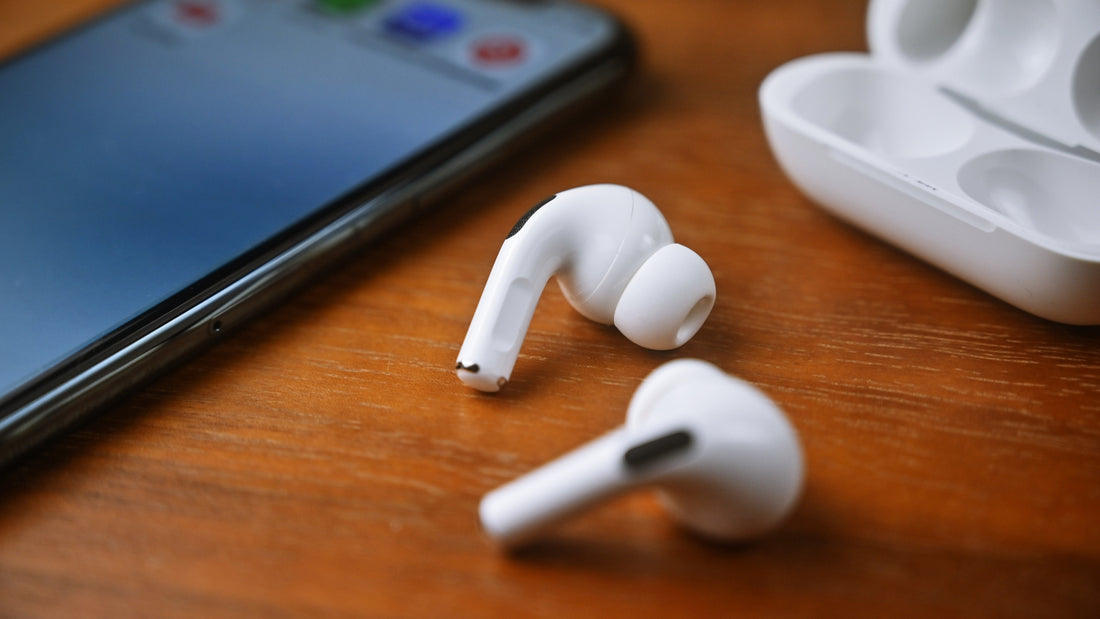
You're convinced that you don't have to throw everything away straight away every time something breaks? We think so too, and luckily more and more people feel the same way. In most cases, a repair can save you a lot of money and is less of a burden on the environment. Unfortunately, not every problem can be solved with a repair.
Today we want to take a look at whether and how AirPods can be repaired. What problems are known to affect these earphones? What can you do about them, and are there ways to prevent a defect? In case an AirPods repair isn't possible in your case, we'll also tell you how you can buy single AirPods from us.
What are the known types of damage to AirPods?
Intensive use and careless handling can lead to various types of damage to Apple's earphones. Often these are sound problems, which show up either as noise such as hissing or crackling, or as changes in volume. It can happen that only one AirPod gets quieter than the other.
The batteries are also prone to defects. Depending on how often and how you use your in-ears, though, you can prevent this. Ultimately, however, it must also be said that the battery is subject to wear as use goes on.
What options are there for repairing AirPods?
What can you do if you want to repair your AirPods yourself because of a malfunction? We can only advise you not to open the housing yourself, because that's only possible by destroying it. Unlike a bicycle or an older car, the delicate electronics are not suited to tinkering with yourself.
There are still a few things you can do yourself, though. If you're lucky, this kind of AirPods repair will fix the existing problem and you can use them again without restrictions.
Check the software
If you have reception problems, you should make sure that the latest firmware is installed on both the earphones and your playback device. This can fix connection problems. You can also try using the AirPods with another device to narrow down whether the problem comes from the earphones.
Also try either turning off all other Bluetooth devices or moving them out of range. This way you can rule out interference and get closer to deciding whether you need to buy a single AirPod as a replacement.
Check the battery
As with any other battery, performance will decrease with prolonged use. This happens even if you follow the manufacturer's guidelines on discharging and charging. To still be able to listen to music as much as you're used to, the obvious idea is to simply replace the AirPods batteries. And here comes the bad news: this isn't intended and therefore not possible.
If you're sure that your problems come from the batteries, then instead of replacing the AirPods batteries, you'll unfortunately have to invest in new earphones. The only exception: you're still covered by the manufacturer's warranty and have the chance to contact Apple.
Clean your earphones
It may sound ridiculous at first, but we've heard of many cases where a thorough cleaning of the AirPods made them sound like they did on day one. Of course, you have to be careful, because the electronics are delicate. We've put together a guide to cleaning them properly that describes how to get the ear tips and the speakers clean.

How can you prevent damage?
To avoid ending up in a situation where an AirPods repair is necessary in the first place, you can take preventive measures through your behavior. Follow our advice in practice and avoid having to repair your AirPods.
- Always keep the earphones in the charging case. There they are safely stored and protected from dirt and scratches. Positive side effect: you always know where they are.
- Clean your in-ears regularly. Care extends their service life. This also applies to Apple earphones. Take a little time at regular intervals to clean them thoroughly.
- Keep an eye on the battery. Make sure you occasionally let the battery charge level run down as far as possible. Since AirPods batteries can't be replaced, this is especially important.
What to do if AirPods can't be repaired
If our suggestions didn't fix your problems, you can of course still take them to a repair shop. But given the costs involved and the uncertainty about whether they can really help you, you should think this over carefully.
Here, too, we have to draw the comparison with a car or bicycle. While a 100 € repair always pays off there because the vehicle is much more expensive, you have to question whether it's economical for earphones.
Conclusion: order single AirPods from OneEarPod
Of course, we now want to show you an alternative to a paid repair. The manufacturer doesn't allow you to buy individual components of a bundle separately. This means that if your left 2nd generation AirPod is defective, you have to buy a complete set. That gets expensive and, luckily, isn't necessary.
With us, you can buy AirPods individually and save a lot of money. We buy original bundles ourselves and split them into their individual parts. That's why you of course get the full manufacturer's warranty, even if you only buy one replacement part. You can also get the charging case from us as a replacement part. We offer second- and third-generation devices as well as the AirPods Pro.
Fast and free delivery
All our products are shipped within one day, and we don't charge any shipping costs. You only pay for the item you want. Since most customers only buy a product for a defective or lost part of their bundle, we've given you the option of express checkout. With one click, you can jump straight to checkout and place your order.
Of course, we hope you can repair your AirPods. If not, we're happy to help with our range of replacement parts. Help us avoid waste and conserve resources by replacing only what's really necessary.