

The most important points at a glance:
- Use the "Find My" app: Works only if at least one AirPod is in the case
- AirPods Pro 2 & newer: On newer models, you can also locate the charging case itself directly
- Case without AirPods: Unfortunately cannot be located, since the case itself has no Bluetooth connection – only a classic search helps here
- Connect new case: "Ignore" the AirPods on the iPhone, put both AirPods into the new case, press the reset button until the LED lights up white, then pair again
-
Case lost: If you can't find it, you can buy a single charging case instead of a complete new set – make sure to choose original Apple quality
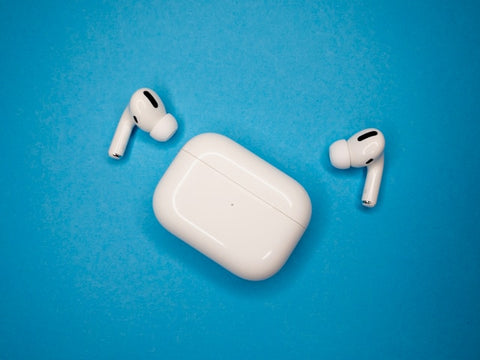
How do I find my case again? Locating an AirPods case made easy
If your AirPods or at least one AirPod is still in the charging case, you can use the “Find My” function on your iPhone.
Here’s how:
Here’s how you can locate your AirPods case:
-
Open the "Find My" app on your iPhone.
-
Select your AirPods under "Devices". If they are not in the charging case, select the left or right AirPod. On AirPods Pro 2 and newer models, you can also select the charging case for locating.
-
Find your AirPods on the map.
-
If your AirPods are not nearby, tap "Directions" to display their location in the "Maps" app.
-
If your AirPods are nearby, tap "Play Sound" and check whether you can hear the signal tones from your AirPods.
- Depending on your AirPods and iPhone, you may also be able to select the "Find Nearby" option. If available, tap it and wait until the AirPods connect to your iPhone. Then follow the on-screen instructions.
If needed: You can find more details on this in this article.

Expert Tip: Activate “Find My?” immediately after purchase
Locate & find an AirPods case without headphones: Is that possible?

But what should you do if none of the AirPods are in the charging case? In this case, you unfortunately cannot use the "Find My" function.
The charging case itself does not have a Bluetooth connection. So the only option left is the old-school way. Think carefully about where you might have misplaced your charging case and search those places.
With a bit of luck, you’ll be able to find it. If you can’t locate your AirPods case, unfortunately you have no choice but to buy a new one. You can find these here.
By the way, we always recommend buying an original charging case, as that way you’re on the safe side and no annoying problems arise.
How do you connect AirPods to a new case?
Did locating the AirPods case unfortunately not work? If you’ve bought a new case and are wondering how to connect your AirPods to it, here’s the answer:
- Open the Settings app on the iPhone that is connected to the AirPods.
- Go to the "Bluetooth" section.
- Look for the AirPods entry and tap the blue-and-white "i" icon.
- Select the "Forget This Device" option and confirm the action
- Now reconnect the AirPods, including the charging case, to the iPhone by placing both AirPods in the new charging case
- Open the lid; the LED should flash yellow
- Press the button on the back of the charging case for a few seconds until the LED lights up white
- Place the charging case and the iPhone close to each other.
- The "Connect" option appears on the iPhone.
- You can now use your AirPods as usual again.
Frequently asked questions
What should you do if you have lost your AirPods case?
If you have lost your AirPods case, you can take the following steps:
Use the "Find My" app:
- Open the "Find My" app on your iPhone or another Apple device.
- Select the lost AirPods case from the list of devices.
-
If the case is nearby, you can make it ring to find it.
Search manually:
- Search the places where you were last to find the AirPods case.
-
Ask nearby if anyone found the case.
Contact Apple Support:
- If you can't find the AirPods case, contact Apple Support for further assistance.
-
They may be able to help you locate or replace the case.
Replace:
-
You have the option of replacing the lost AirPods case with a new one. You can purchase a new charging case separately.
Enable location services:
- Make sure location services are enabled on your iPhone so you can use the "Find My" feature.
Note: You can only take these steps if at least one AirPod is in the charging case.
Can you locate an AirPod case without AirPods?
It is not possible to locate the AirPods charging case if there are no AirPods inside it. The location function via "Find My" on the iPhone only works for the AirPods themselves, not for the charging case alone.

Did you know? AirPods Pro 2 have an advantage
Can stolen AirPods be connected?
If your AirPods have been stolen, it is only possibly for the thief to connect them if they have not been disconnected from you. The AirPods are linked to the original owner's Apple account and are usually automatically synchronized with all of the owner's devices that use the same iCloud account.
However, Apple has built in security measures to make stealing AirPods more difficult. For example, AirPods can only be connected to another device by another user if the thief has access to your iCloud account and the associated login credentials.
If you have lost your AirPods or they have been stolen, it is advisable to use the location function via the "Find My" app. You can try to locate the AirPods on a map or make them ring. In addition, you should contact Apple Support to take further steps, such as reporting the loss and, if necessary, locking the AirPods to prevent unauthorized connections.